
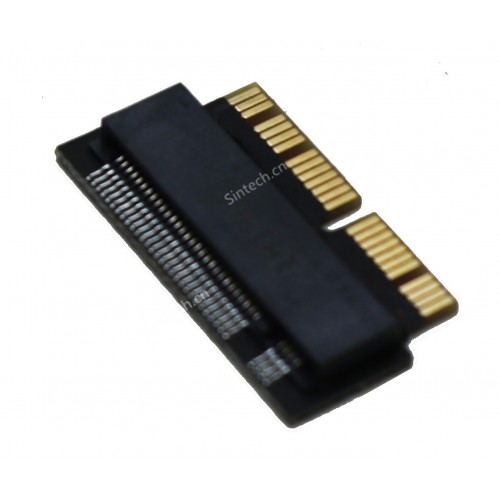
- fit 2013-2017 Macbook Air and Imac
- fit late 2013-Mid 2015 Macbook PRO
- support Adata NVMe SSD : SX6000, SX7000, SX8200, SX8200 Pro etc,Corsair : MP500, MP510,Crucial : P1,HP: ex920, ex950
- Support Intel NVMe SSD : 600p, 660p, 760p,Toshiba XG3-XG4-XG5-XG5p-XG6 line,Samsung: 960 Evo, 960 Pro, 970 Evo, 970 Pro,WD:v1, v2 and v3,MyDigital: SBX - BPX
- NOTE:Samsung PM981/950PRO, WD Blue SN570 /SN770 can't work in Macbook,Don't use these SSD.
Note:If you don't know how to install Mac OS,pls read user guider before installing MAC OS.Besides,there will be hibernation problem for 2013-2014 macbook:
-problem - sleep/standby on 2013/2014 macs:those mac aren't able to resume from deepsleep/hibernation with NVMe drives.This problem also occurs on the same mac with genuine Apple NVMe SSDs.Resolution of the problem:Go into settings and click on energy saver, click restore defaults. Then in terminal write "sudo pmset -a standby 0 hibernate mode 25" without quotations.
M.2 nVME SSD Card for Upgrade 2013 2014 2015 MacBook SSD
- Product Code:ST-NGFF2013
- Availability:In Stock
-
$7.99
- Ex Tax:$7.99
-
- 2 or more $7.69
- 5 or more $6.99
- 20 or more $6.19
- 100 or more $4.20